Notifications
The UI has the ability to receive notifications.
Notification Badge
The "Notification Badge" is in the right half of the page header bar. Clicking on it will open the Notification Drawer

Figure: Notification Badge when there are no unread notifications.
The Notification Badge will show a total of any unread notifications. In addition, it will change colour showing that there is unread notifications.

Figure: Notification Badge formatted when there are unread notifications. Total unread notifications are also shown.

Figure: Notification Badge formatting when there is at least one Error. Total unread notifications are also shown.
Info
Notification Drawer
All notifications can be viewed from within the Notification Drawer.
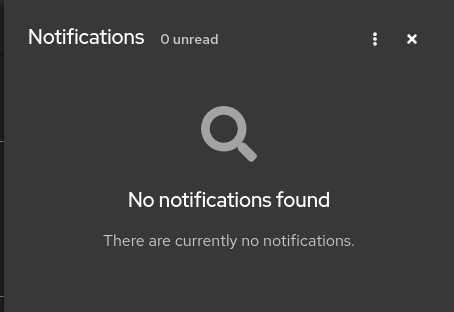
Figure: Open Notification Drawer with no notifications.
Each individual notification as well as the Notification Drawer have a Hamburger Icon / Action Menu that you can click on to mark as read or clear the notification(s).
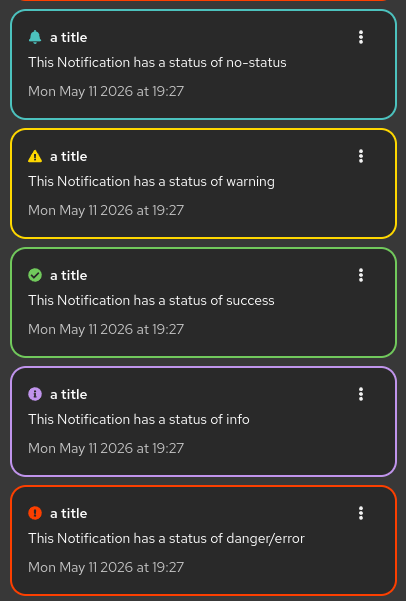
Figure: Open Notification Drawer with each of the types of available notification status'.
Info
-
To create a notification use function
addNewNotificationfrom the useNotificationActions hook.
Alerts
Notifications can also be shown as alerts. The difference between an "Alert" and a "Notification" is that an alert will display initially as a pop-up in the upper right hand side of your screen. After the auto-timeout or if you dismiss the alert, it can be viewed in the Notification Drawer.

Figure: What alerts look like when displayed. Note that if too many alerts display, as overflow message will display (the gray box), letting you knwow how many more alerts have arrived.
Info
-
Alerts shares the same API as the Notification Drawer.
-
To create an alert set parameter
isAlert = truewhen calling functionaddNewNotification.
About:
This page forms part of our Project Centurion UI.
Page Metadata
Version: ToDo: place files short git commit hereDate Created: 2026-05-11
Date Edited: 2026-09-10
Contribution:
Would You like to contribute to our Centurion UI project? You can assist in the following ways:
- Edit This Page If there is a mistake or a way you can improve it.
- Add a Page to the Manual if you would like to add an item to our manual
- Raise an Issue if there is something about this page you would like to improve, and git is unfamiliar to you.
ToDo: Add the page list of contributors